Showing posts with label Google. Show all posts
Showing posts with label Google. Show all posts
Monday, May 02, 2016
The City As Classroom vs. The City As Advertising Platform
Normally I post my talks here but last night I struggled so much with Blogger that I decided to post today's presentation The City As Classroom vs. The City As Advertising Platform that I gave at York University Libraries on Medium instead.


Sunday, March 29, 2015
The Setup
For this post, I’m going to pretend that the editors of the blog, The Setup (“a collection of nerdy interviews asking people from all walks of life what they use to get the job done”) asked me for a contribution. But in reality, I’m just following Bill Denton’s lead.
It feels a little self-indulgent to write about one’s technology purchases so before I describe my set up, let me explain why I’m sharing this information.
Some time back, in preparation for a session I was giving on Zotero for my university’s annual technology conference, I realized that before going into the reasons how to use Zotero, I had to address the reasons why. I recognized that I was asking students and faculty who were likely already time-strapped and overburdened, to abandon long-standing practices that were already successfully working for them if they were going to switch to Zotero for their research work.
Before my presentation, I asked on Twitter when and why faculty would change their research practices. Most of the answers were on the cynical side but there were some that gave me some room to maneuver, namely this one: “when I start a new project.” And there’s a certain logic to this approach. If you were starting graduate school and know that you have to prepare for comps and generate a thesis at the end of the process, wouldn’t you want to conscientiously design your workflow at the start to capture what you learn in such a way that it’s searchable and reusable?
My own sabbatical is over and oddly enough, it is now at the end of my sabbatical in which I feel the most like I’m starting all over again in my professional work. So I’m using that New Project feeling to fuel some self-reflection in my own research process, bring some mindfulness to my online habits, and deliberate design into My Setup.
There’s another reason why I’m thinking about the deliberate design of research practice. As libraries start venturing into the space of research service consultation, I believe that librarians need to follow best practices for ourselves if we hope to develop expertise in this area.
As well, I think we need to more conscious of how and when our practices are not in line with our values. It’s simply not possible to live completely without hypocrisy in this complicated world but that doesn’t mean we can’t strive for praxis. It’s difficult for me to take seriously accusations that hackerspaces are neoliberal when it’s being stated by a person cradling a Macbook or iPhone. That being said, I greatly rely on products from Microsoft, Amazon, and Google so I'm in no position to cast stones.
I just want to care about the infrastructures we’re building….
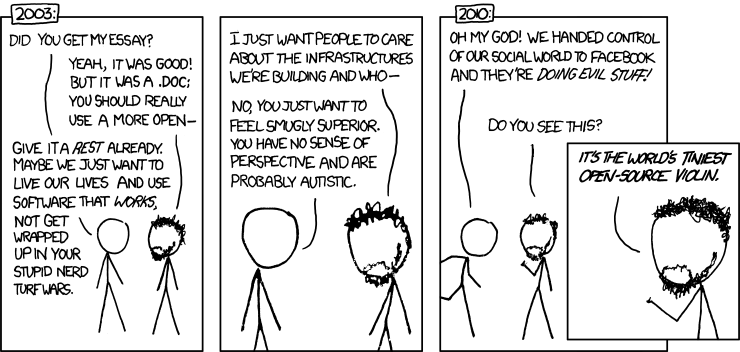
And with that, here’s my setup!
Hardware
There are three computers that I spend my time on: the family computer in the kitchen (a Dell desktop running Windows 7), my work computer (another Dell desktop running Windows 7), and my Thinkpad X1 Carbon laptop which I got earlier this year. Grub turned my laptop into a dual boot machine that I can switch between Ubuntu and Windows 7. I feel I need a Windows environment so I can run any ESRI products and all those other Mac/Windows only products if need be.
I have a Nexus 4 Android phone made by LG and a Kindle DX as my ebook reader. I don’t own a tablet or an mp3 player.
Worldbackup Day is March 31st. I need to get myself an external drive for backups (Todo1).
Software
After getting my laptop, the first thing I did was investigated password managers to find which one would work best for me. I ended up choosing LastPass and I felt the benefits immediately. Using a password manager has saved me so much pain and aggravation and now my passwords are now (almost) all unique. Next, I need to set up two factor authentication for the services that I haven’t gotten around to yet (Todo2).
With work being done on three computers, it’s not surprising that I have a tendency to work online. My browser of choice is Mozilla but I will flip to Chrome from time to time. I use the sync functionality on both so my bookmarks are the automatically updated and the same across devices. I use SublimeText for my text editor for code, GIMP as my graphics editor, and QGIS for my geospatial needs.
This draft, along with much of my other writing and presentations are on Google Drive. I spend much of my time in Gmail and Google Calendar. While years ago, I downloaded all my email using Mozilla Thunderbird, I have not set up a regular backup strategy for these documents (Todo3). I’ve toyed with using Dropbox to back up Drive but think I’m better with an external drive. I have a Dropbox account because people occasionally share documents with me through it but at the moment, I only use it to backup my kids Minecraft games.
From 2007 to 2013, I used delicious to capture and share the things I read online. Then delicious tried to be the new Pinterest and made itself unusable (although it has since reverted back to close to its original form) and so I switched to Evernote (somewhat reluctantly because I missed the public aspect of sharing bookmarks). I’ve grown to be quite dependent on Evernote to save my outboard brain. I use IFTTT to post the links from my Twitter faves to delicious which are then imported automatically into Evernote. I also use IFTTT to automatically backup my Tumblr posts to Evernote, my Foursquare check-ins saved to Evernote (and Google Calendar) and my Feedly saved posts to Evernote. Have I established a system to back up my Evernote notes on a regular basis? No, no I have not (Todo4).
The overarching idea that I have come up with is that the things I write are backed up on my Google Drive account and the library of things that I have read or saved to future reading (ha!) are saved on Evernote. To this end, I use IFTTT to save my Tweets to a Google Spreadsheet and my Blogger and WordPress posts are automatically saved to Google Drive (still in a work in progress. Todo 5). My ISP is Dreamhost but I am tempted to jump ship to Digital Ocean.
My goal is to have at least one backup for the things I’ve created. So I use IFTTT to save my Instagram posts to Flickr. My Flickr posts are just a small subset of all the photos that are automatically captured and saved on Google Photos. No, I have not backed up these photos (Todo 6) but I have, since 2005, printed the best of my photos on an annual basis into beautiful softcover books using QOOP and then later, through Blurb. My Facebook photos and status updates from 2006 to 2013 have been printed in a lovely hardcover book using MySocialBook. One day I would like to print a book of the best of my blogged writings using Blurb, if just as a personal artifact.
Speaking of books, because I’m one of the proud and the few to own a KindleDX, I use it to read PDFs and most of my non-fiction reading. When I stumble upon a longread on the web, I use Readability’s Send to Kindle function so I can read it later without eyestrain. I’m inclined to buy the books that I used in my writing and research as Kindle ebooks because I can easily attach highlighted passages from these books to my Zotero account. My ebooks are backed up in my calibre library. I also use Goodreads to keep track of my reading because I love knowing what my friends are into.
I subscribe to Rdio and for those times that I actually spend money on owning music, I try to use Bandcamp. I’m an avid listener of podcasts and for this purpose use BeyondPod. Our Sonos system allows us to play music from all these services, as well as TuneIn, in the living room. The music that I used to listen to on CD is now sitting on an unused computer running Windows XP and I know if I don’t get my act together and transfer those files to an external drive soon those files will be gone for good.. if they haven’t already become inaccessible (*gulp*) (Todo 8).
For my “Todo list” I use Google Keep, which also captures my stray thoughts when I’m away from paper or my computer. Google Keep has an awesome feature that will trigger reminders based on your location.
So that’s My Setup. Let me know if you have any suggestions or can see some weaknesses in my workflow. Also, I’d love to learn from your Setup.
And please please please call me out if I don’t have a sequel to this post called The Backup by the time of next year's World Backup Day.
It feels a little self-indulgent to write about one’s technology purchases so before I describe my set up, let me explain why I’m sharing this information.
Some time back, in preparation for a session I was giving on Zotero for my university’s annual technology conference, I realized that before going into the reasons how to use Zotero, I had to address the reasons why. I recognized that I was asking students and faculty who were likely already time-strapped and overburdened, to abandon long-standing practices that were already successfully working for them if they were going to switch to Zotero for their research work.
Before my presentation, I asked on Twitter when and why faculty would change their research practices. Most of the answers were on the cynical side but there were some that gave me some room to maneuver, namely this one: “when I start a new project.” And there’s a certain logic to this approach. If you were starting graduate school and know that you have to prepare for comps and generate a thesis at the end of the process, wouldn’t you want to conscientiously design your workflow at the start to capture what you learn in such a way that it’s searchable and reusable?
My own sabbatical is over and oddly enough, it is now at the end of my sabbatical in which I feel the most like I’m starting all over again in my professional work. So I’m using that New Project feeling to fuel some self-reflection in my own research process, bring some mindfulness to my online habits, and deliberate design into My Setup.
There’s another reason why I’m thinking about the deliberate design of research practice. As libraries start venturing into the space of research service consultation, I believe that librarians need to follow best practices for ourselves if we hope to develop expertise in this area.
As well, I think we need to more conscious of how and when our practices are not in line with our values. It’s simply not possible to live completely without hypocrisy in this complicated world but that doesn’t mean we can’t strive for praxis. It’s difficult for me to take seriously accusations that hackerspaces are neoliberal when it’s being stated by a person cradling a Macbook or iPhone. That being said, I greatly rely on products from Microsoft, Amazon, and Google so I'm in no position to cast stones.
I just want to care about the infrastructures we’re building….
And with that, here’s my setup!
Hardware
There are three computers that I spend my time on: the family computer in the kitchen (a Dell desktop running Windows 7), my work computer (another Dell desktop running Windows 7), and my Thinkpad X1 Carbon laptop which I got earlier this year. Grub turned my laptop into a dual boot machine that I can switch between Ubuntu and Windows 7. I feel I need a Windows environment so I can run any ESRI products and all those other Mac/Windows only products if need be.
I have a Nexus 4 Android phone made by LG and a Kindle DX as my ebook reader. I don’t own a tablet or an mp3 player.
Worldbackup Day is March 31st. I need to get myself an external drive for backups (Todo1).
Software
After getting my laptop, the first thing I did was investigated password managers to find which one would work best for me. I ended up choosing LastPass and I felt the benefits immediately. Using a password manager has saved me so much pain and aggravation and now my passwords are now (almost) all unique. Next, I need to set up two factor authentication for the services that I haven’t gotten around to yet (Todo2).
With work being done on three computers, it’s not surprising that I have a tendency to work online. My browser of choice is Mozilla but I will flip to Chrome from time to time. I use the sync functionality on both so my bookmarks are the automatically updated and the same across devices. I use SublimeText for my text editor for code, GIMP as my graphics editor, and QGIS for my geospatial needs.
This draft, along with much of my other writing and presentations are on Google Drive. I spend much of my time in Gmail and Google Calendar. While years ago, I downloaded all my email using Mozilla Thunderbird, I have not set up a regular backup strategy for these documents (Todo3). I’ve toyed with using Dropbox to back up Drive but think I’m better with an external drive. I have a Dropbox account because people occasionally share documents with me through it but at the moment, I only use it to backup my kids Minecraft games.
From 2007 to 2013, I used delicious to capture and share the things I read online. Then delicious tried to be the new Pinterest and made itself unusable (although it has since reverted back to close to its original form) and so I switched to Evernote (somewhat reluctantly because I missed the public aspect of sharing bookmarks). I’ve grown to be quite dependent on Evernote to save my outboard brain. I use IFTTT to post the links from my Twitter faves to delicious which are then imported automatically into Evernote. I also use IFTTT to automatically backup my Tumblr posts to Evernote, my Foursquare check-ins saved to Evernote (and Google Calendar) and my Feedly saved posts to Evernote. Have I established a system to back up my Evernote notes on a regular basis? No, no I have not (Todo4).
The overarching idea that I have come up with is that the things I write are backed up on my Google Drive account and the library of things that I have read or saved to future reading (ha!) are saved on Evernote. To this end, I use IFTTT to save my Tweets to a Google Spreadsheet and my Blogger and WordPress posts are automatically saved to Google Drive (still in a work in progress. Todo 5). My ISP is Dreamhost but I am tempted to jump ship to Digital Ocean.
My goal is to have at least one backup for the things I’ve created. So I use IFTTT to save my Instagram posts to Flickr. My Flickr posts are just a small subset of all the photos that are automatically captured and saved on Google Photos. No, I have not backed up these photos (Todo 6) but I have, since 2005, printed the best of my photos on an annual basis into beautiful softcover books using QOOP and then later, through Blurb. My Facebook photos and status updates from 2006 to 2013 have been printed in a lovely hardcover book using MySocialBook. One day I would like to print a book of the best of my blogged writings using Blurb, if just as a personal artifact.
Speaking of books, because I’m one of the proud and the few to own a KindleDX, I use it to read PDFs and most of my non-fiction reading. When I stumble upon a longread on the web, I use Readability’s Send to Kindle function so I can read it later without eyestrain. I’m inclined to buy the books that I used in my writing and research as Kindle ebooks because I can easily attach highlighted passages from these books to my Zotero account. My ebooks are backed up in my calibre library. I also use Goodreads to keep track of my reading because I love knowing what my friends are into.
I subscribe to Rdio and for those times that I actually spend money on owning music, I try to use Bandcamp. I’m an avid listener of podcasts and for this purpose use BeyondPod. Our Sonos system allows us to play music from all these services, as well as TuneIn, in the living room. The music that I used to listen to on CD is now sitting on an unused computer running Windows XP and I know if I don’t get my act together and transfer those files to an external drive soon those files will be gone for good.. if they haven’t already become inaccessible (*gulp*) (Todo 8).
For my “Todo list” I use Google Keep, which also captures my stray thoughts when I’m away from paper or my computer. Google Keep has an awesome feature that will trigger reminders based on your location.
So that’s My Setup. Let me know if you have any suggestions or can see some weaknesses in my workflow. Also, I’d love to learn from your Setup.
And please please please call me out if I don’t have a sequel to this post called The Backup by the time of next year's World Backup Day.
Monday, May 09, 2011
code4lib north presentation: we're jamun and we hope that you like jamun too
On Friday, May 6th, I had the pleasure to present a project called that we are working on my place of work to the fine folks at Code4Lib North.
Jamun is the work of Art Rhyno and it is at the proof of concept stage. That being said, I'm hopeful that it will develop into our library's $100 discovery layer...

There was one point that didn't make it into the presentation slides that I regret not including: Our current version of Jamun doesn't include a pane search results from the text of the library website results but it is intended that we would prominently include one. As the results for a search for "primary source documents" from NCSU library nicely illustrates, such results can act as de facto *in context* help.
I'd like to also note that during the Q and A after my talk, there was a connection between my plea to libraries to stop throwing out course reading lists and Dan Cohen's recent release of million syllabus data set.
Much thanks to McMaster University for hosting Code4Lib and mad props to Nick Ruest and John Fink who were kind enough to host the wonderful event.
Jamun is the work of Art Rhyno and it is at the proof of concept stage. That being said, I'm hopeful that it will develop into our library's $100 discovery layer...
There was one point that didn't make it into the presentation slides that I regret not including: Our current version of Jamun doesn't include a pane search results from the text of the library website results but it is intended that we would prominently include one. As the results for a search for "primary source documents" from NCSU library nicely illustrates, such results can act as de facto *in context* help.
I'd like to also note that during the Q and A after my talk, there was a connection between my plea to libraries to stop throwing out course reading lists and Dan Cohen's recent release of million syllabus data set.
Much thanks to McMaster University for hosting Code4Lib and mad props to Nick Ruest and John Fink who were kind enough to host the wonderful event.
Sunday, March 20, 2011
Libraries and The Fear of Free
Let us speak plainly.
Ebooks are the proverbial iceberg on the horizon of libraries. If the library profession doesn't act appropriately, decisively and soon, libraries are screwed.
We need to stop insisting that the value of the library is made by the subsidy of objects alone. At the moment, our primary value is that we provide free items that only cost the user the inconvenience of having to physically come to the library to pick up the item when that object is available. But when the price of the such items drop, then the relative cost of the inconvenience goes up to the point that paying $8 a month for Netflix becomes much more attractive than paying for parking twice a month at the public library across town.
Academic libraries are not immune to the forces of cost vs. convenience. There is a growing interest in Activity-Based Budgeting (ppt) or Incentive-based Budgeting at public universities (book) and this means that the campus library, once a shared resource, explicitly becomes a cost centre that must be paid for directly from the other faculties on campus. (The University of Toronto started using ABB since 2007 and two years later, their libraries started charging graduate students from other schools a substantial fee to access their collections). Now imagine a future scenario in which the largest commercial publishers decide to drop the cost per article to $5. Those faculties who will be able to do research without their campus library will advocate that they shouldn't have to subsidize the other faculties that do. Now, I'm not trying to make the case that this particular scenario is likely to occur and play out. I'm just trying to make the point that if the library is seen only as a subsidy, then our future will be controlled by those who set the cost and convenience.
Libraries can change course. It may even be easier than we think. But in order for us to do so, we need more hearts and minds to re-interpret our collective mission and express it in new ways through the communities we serve.
First, we need to stop making free the enemy of the library.
My own personal epiphany of the matter came through a conversation at OLITA council about the reticence of many public libraries to promote free books from such ventures as Project Gutenberg. One observation was that libraries aren't interested in promoting resources that don't result in an increase in library circulation counts. The stakeholders of public libraries don't think highly of connecting users to free educational material on the Internet.
In the academic sphere, there are similar forces at play. Every time, I hear a librarian say that the library is the place to find "trusted" and "quality" information, I cringe because such thinking implicitly debases open access research because it's free to readers. Librarians don't want institutional repositories (campus research free for the world) at the expense of being able to buy commercial research for our campus.
Next, we need to start expressing the value of libraries through gate-counts (and website hit counts) rather than circulation counts. Not through books, but through book clubs. And writing circles. Letter press workshops. Wordpress bootcamps. Book digitization.
Then, we need to stop waiting for a commercial product to save our profession. It is maddening to see the extent that public libraries are willing to spend their energies castigating Overdrive and Harper-Collins for acting as a business rather than partner with the Internet Archive to lend ebooks. It is troubling to see academic libraries collectively spend millions of dollars on "Google-like" discovery layers and outright refuse to even consider simply using Google Scholar (or customizing their own Google Search Engines or taking on the responsibility to build their own digital library for themselves).
And my last recommendation (for the moment) is ask libraries to stop spending money licensing commercial products that they can never own (nor preserve for the future). Instead, libraries need to use, support and develop open source tools and collections - for ourselves and the communities that we serve. Again, there is resistance from many libraries to use free software. Ironically, if you ask them why not, these libraries will tell you that they don't feel that they can own a product if they don't pay for it. My own personal observation is that the ability to pay for a service contract from a dedicated developer or support company encourages organizations to use open source software.
I haven't read it myself, but I understand that Eric Raymond's "The Cathedral and the Bazaar" makes a convincing case that software should be thought of as a service and not as a product. As soon as my Sunday afternoon reference desk shift is over, I'm going to head upstairs and borrow this book because I think this is the same transition that libraries have to make.
There is still time.
Ebooks are the proverbial iceberg on the horizon of libraries. If the library profession doesn't act appropriately, decisively and soon, libraries are screwed.
We need to stop insisting that the value of the library is made by the subsidy of objects alone. At the moment, our primary value is that we provide free items that only cost the user the inconvenience of having to physically come to the library to pick up the item when that object is available. But when the price of the such items drop, then the relative cost of the inconvenience goes up to the point that paying $8 a month for Netflix becomes much more attractive than paying for parking twice a month at the public library across town.
Academic libraries are not immune to the forces of cost vs. convenience. There is a growing interest in Activity-Based Budgeting (ppt) or Incentive-based Budgeting at public universities (book) and this means that the campus library, once a shared resource, explicitly becomes a cost centre that must be paid for directly from the other faculties on campus. (The University of Toronto started using ABB since 2007 and two years later, their libraries started charging graduate students from other schools a substantial fee to access their collections). Now imagine a future scenario in which the largest commercial publishers decide to drop the cost per article to $5. Those faculties who will be able to do research without their campus library will advocate that they shouldn't have to subsidize the other faculties that do. Now, I'm not trying to make the case that this particular scenario is likely to occur and play out. I'm just trying to make the point that if the library is seen only as a subsidy, then our future will be controlled by those who set the cost and convenience.
Libraries can change course. It may even be easier than we think. But in order for us to do so, we need more hearts and minds to re-interpret our collective mission and express it in new ways through the communities we serve.
First, we need to stop making free the enemy of the library.
My own personal epiphany of the matter came through a conversation at OLITA council about the reticence of many public libraries to promote free books from such ventures as Project Gutenberg. One observation was that libraries aren't interested in promoting resources that don't result in an increase in library circulation counts. The stakeholders of public libraries don't think highly of connecting users to free educational material on the Internet.
In the academic sphere, there are similar forces at play. Every time, I hear a librarian say that the library is the place to find "trusted" and "quality" information, I cringe because such thinking implicitly debases open access research because it's free to readers. Librarians don't want institutional repositories (campus research free for the world) at the expense of being able to buy commercial research for our campus.
Next, we need to start expressing the value of libraries through gate-counts (and website hit counts) rather than circulation counts. Not through books, but through book clubs. And writing circles. Letter press workshops. Wordpress bootcamps. Book digitization.
Then, we need to stop waiting for a commercial product to save our profession. It is maddening to see the extent that public libraries are willing to spend their energies castigating Overdrive and Harper-Collins for acting as a business rather than partner with the Internet Archive to lend ebooks. It is troubling to see academic libraries collectively spend millions of dollars on "Google-like" discovery layers and outright refuse to even consider simply using Google Scholar (or customizing their own Google Search Engines or taking on the responsibility to build their own digital library for themselves).
And my last recommendation (for the moment) is ask libraries to stop spending money licensing commercial products that they can never own (nor preserve for the future). Instead, libraries need to use, support and develop open source tools and collections - for ourselves and the communities that we serve. Again, there is resistance from many libraries to use free software. Ironically, if you ask them why not, these libraries will tell you that they don't feel that they can own a product if they don't pay for it. My own personal observation is that the ability to pay for a service contract from a dedicated developer or support company encourages organizations to use open source software.
I haven't read it myself, but I understand that Eric Raymond's "The Cathedral and the Bazaar" makes a convincing case that software should be thought of as a service and not as a product. As soon as my Sunday afternoon reference desk shift is over, I'm going to head upstairs and borrow this book because I think this is the same transition that libraries have to make.
There is still time.
Wednesday, October 06, 2010
When an imploring librarian is not enough
So last month I had a doozy of a library research class. It was a 3 hour class about "library research" to about 100 second year undergraduate students and it wasn't tied to a particular assignment, a particular course, or even a particular discipline. Furthermore, the primary instructors for this particular program promptly exited the room as soon as the majority of students had signed in. Not exactly win conditions.
But I survived and the students survived. Some parts of the class went better than expected. Other parts I wished I could do over. And the class both reinforced and challenged my ideas about research, habits and tool use. Here's what happened.
This particular class was held in a large lecture hall and students were instructed to bring their laptops with them. Those without laptops were to share with those around them. I didn't pay that close attention to the few students that came without laptops but I strongly suspect that they, at best, only watched their seatmates work through the class exercises. Laptops are simply too personal to hand over to strangers. Unless its made explicit that students must have laptops for classwork then I think the school does bare some responsibility of having laptops to lend out on a short term use. But the matter of equity of access aside, I much prefer that students use their laptops rather than placing them all into a computer lab. What better way to simulate a research experience than using the actual research tool that the student uses everyday?
After I introduced myself and our co-op student (who kindly joined me to help out with questions from the students) I briefly told the students what I hoped to cover in the class and then started off with a quick five minute activity. I asked them to find a paper written by a University of Windsor professor and to raise their hand when they did. As they raised their hands, I would walk over the student, look at their screens and ask how they found the paper.
Most of the students answered "Google". A considerable number of students used the search box on the University of Windsor web site and searched the word, "paper" or a variation of that word. Only one student that I visited in that five minutes used a library indexing tool to find a paper.
After the five minutes was up, I gave brief synopsis of what I had seen and I make no explicit value judgment of which way was the "right way" to find a research paper. I wanted to send a strong signal that I was more interested in how they really did their research rather than set them up for praise them if they used library resources. I simply reported back that most people used Google and the Google-powered search engine on the University of Windsor website to find a paper.
I then asked the room this question: "How is doing scholarly research different from your everyday searching with Google?"
I think this is an important question. We know that students "search" multiple times a day in their everyday life and in most cases, they are largely successful and confident in their searching abilities. Unless we clearly ask students to confront the possibility that things could be done differently, they won't even consider changing their practice.
Now in this particular class, I had a problem. The first person gave a thorough and correct answer: "scholarly research involves using peer reviewed sources that has most likely been published." There's nothing like a correct answer to nip discussion in the bud. I've had similar discussions in classes that have meandered in all sorts of great territory, like the non-commercial nature of scholarly communication, the use of the scientific method and statistical analysis, what indicates expertise in a field, the acknowledgment of bias... but in this class, I wasn't able to catch a spark and I caught myself doing most of the talking. Luckily, I had prepared an escape route.
I asked the class, can you trust everything found by the library?
After a muted response of "most times" and "meh", I explained that they absolutely shouldn't everything trust that they find in the library because I, as a librarian, had added to the collection such titles as Yes To Human Cloning!
That book is by the Raelian cult and they are my new favourite research example because they touch all sorts of disciplinary ground: science, UFSs, religion, media manipulation, sexuality, and Canadian Content, to boot. And, even better, the kids these days know nothing about these weirdos.
So I let the class know that this was a book from a cult called the Raelians and pointed out that the book is just two books down the shelf from one of the most important "real" books about cloning). I told them that the library had books about intelligent design and books about evolution. And while on this theme of healthy skepticism, we went to Wikipedia to learn more about the Raelians. We looked at the History tab on the page to see the level of discussion this topic was generating and to see if there was any tell-tale signs of Raelian influence on the page. I then asked the students to find newspaper articles to confirm the information found in the page.
And even though I navigated on my own screen to the library's newspaper page and suggested that they try to use these sources for this mini-assignment, the majority of students still defaulted to using Google and Google News where they found some newspaper articles and reprints of newspaper articles in blog posts. This has happened to me before. I once led a class about scholarly visual arts resources and even after immediately showing what fine tools we had, the majority of the class used dictionary.com for their research assignment. It throws me off every time. Their online habits are too strong to be broken by the imploring of a librarian to change.
And yet I persist because I'm not sure what else to do. I then used the same method to introduce tools to find journal articles on the topic: ask them to use the tool they would normally use for an in-class assignment, show them the advantages to using Google Scholar instead of Google, and then show them the advantages of using library-paid scholarly tools instead of Google. At the end of this part of the class, I'm quite sure I have converted many of the students to using Google Scholar instead of Google but I don't have same confidence that I have made a convincing case for what we provide from the library.
But later in the class, I accidentally stumbled on a way where I actually had students ask me if there was something better than Google Scholar was available.
In the second hour of the class, I introduced RefWorks and Zotero to the students and gave them a mini-assignment to create a bibliography that they would then have to share with someone else. I didn't teach them how to use the tools - I just pointed to the screencasts that both citation management products provide and wandered around to help out the students who were stuck. And I would like to note that the students *loved* these tools. At first, at least...
And that's when it happened. Students starting importing articles from Google Scholar into their bibliographies and noticed that many authors and other key bits of information were missing. I told these students that at this point they had a choice: they could either correct the citations manually, or they could use a library-provided tool like Web of Science that would do a better job of the citation information. And it was only then that I saw real and genuine interest in using library subscription products for their research needs. For better metadata, no less.
I'm still working through ideas about how tool choice and habit influence how students learn, both within and out of higher education.
And you are reading this because my own habit is to write out my thoughts in a post as I work out difficult ideas. I implore you to do the same.
But I survived and the students survived. Some parts of the class went better than expected. Other parts I wished I could do over. And the class both reinforced and challenged my ideas about research, habits and tool use. Here's what happened.
This particular class was held in a large lecture hall and students were instructed to bring their laptops with them. Those without laptops were to share with those around them. I didn't pay that close attention to the few students that came without laptops but I strongly suspect that they, at best, only watched their seatmates work through the class exercises. Laptops are simply too personal to hand over to strangers. Unless its made explicit that students must have laptops for classwork then I think the school does bare some responsibility of having laptops to lend out on a short term use. But the matter of equity of access aside, I much prefer that students use their laptops rather than placing them all into a computer lab. What better way to simulate a research experience than using the actual research tool that the student uses everyday?
After I introduced myself and our co-op student (who kindly joined me to help out with questions from the students) I briefly told the students what I hoped to cover in the class and then started off with a quick five minute activity. I asked them to find a paper written by a University of Windsor professor and to raise their hand when they did. As they raised their hands, I would walk over the student, look at their screens and ask how they found the paper.
Most of the students answered "Google". A considerable number of students used the search box on the University of Windsor web site and searched the word, "paper" or a variation of that word. Only one student that I visited in that five minutes used a library indexing tool to find a paper.
After the five minutes was up, I gave brief synopsis of what I had seen and I make no explicit value judgment of which way was the "right way" to find a research paper. I wanted to send a strong signal that I was more interested in how they really did their research rather than set them up for praise them if they used library resources. I simply reported back that most people used Google and the Google-powered search engine on the University of Windsor website to find a paper.
I then asked the room this question: "How is doing scholarly research different from your everyday searching with Google?"
I think this is an important question. We know that students "search" multiple times a day in their everyday life and in most cases, they are largely successful and confident in their searching abilities. Unless we clearly ask students to confront the possibility that things could be done differently, they won't even consider changing their practice.
Now in this particular class, I had a problem. The first person gave a thorough and correct answer: "scholarly research involves using peer reviewed sources that has most likely been published." There's nothing like a correct answer to nip discussion in the bud. I've had similar discussions in classes that have meandered in all sorts of great territory, like the non-commercial nature of scholarly communication, the use of the scientific method and statistical analysis, what indicates expertise in a field, the acknowledgment of bias... but in this class, I wasn't able to catch a spark and I caught myself doing most of the talking. Luckily, I had prepared an escape route.
I asked the class, can you trust everything found by the library?
After a muted response of "most times" and "meh", I explained that they absolutely shouldn't everything trust that they find in the library because I, as a librarian, had added to the collection such titles as Yes To Human Cloning!
That book is by the Raelian cult and they are my new favourite research example because they touch all sorts of disciplinary ground: science, UFSs, religion, media manipulation, sexuality, and Canadian Content, to boot. And, even better, the kids these days know nothing about these weirdos.
So I let the class know that this was a book from a cult called the Raelians and pointed out that the book is just two books down the shelf from one of the most important "real" books about cloning). I told them that the library had books about intelligent design and books about evolution. And while on this theme of healthy skepticism, we went to Wikipedia to learn more about the Raelians. We looked at the History tab on the page to see the level of discussion this topic was generating and to see if there was any tell-tale signs of Raelian influence on the page. I then asked the students to find newspaper articles to confirm the information found in the page.
And even though I navigated on my own screen to the library's newspaper page and suggested that they try to use these sources for this mini-assignment, the majority of students still defaulted to using Google and Google News where they found some newspaper articles and reprints of newspaper articles in blog posts. This has happened to me before. I once led a class about scholarly visual arts resources and even after immediately showing what fine tools we had, the majority of the class used dictionary.com for their research assignment. It throws me off every time. Their online habits are too strong to be broken by the imploring of a librarian to change.
And yet I persist because I'm not sure what else to do. I then used the same method to introduce tools to find journal articles on the topic: ask them to use the tool they would normally use for an in-class assignment, show them the advantages to using Google Scholar instead of Google, and then show them the advantages of using library-paid scholarly tools instead of Google. At the end of this part of the class, I'm quite sure I have converted many of the students to using Google Scholar instead of Google but I don't have same confidence that I have made a convincing case for what we provide from the library.
But later in the class, I accidentally stumbled on a way where I actually had students ask me if there was something better than Google Scholar was available.
In the second hour of the class, I introduced RefWorks and Zotero to the students and gave them a mini-assignment to create a bibliography that they would then have to share with someone else. I didn't teach them how to use the tools - I just pointed to the screencasts that both citation management products provide and wandered around to help out the students who were stuck. And I would like to note that the students *loved* these tools. At first, at least...
And that's when it happened. Students starting importing articles from Google Scholar into their bibliographies and noticed that many authors and other key bits of information were missing. I told these students that at this point they had a choice: they could either correct the citations manually, or they could use a library-provided tool like Web of Science that would do a better job of the citation information. And it was only then that I saw real and genuine interest in using library subscription products for their research needs. For better metadata, no less.
I'm still working through ideas about how tool choice and habit influence how students learn, both within and out of higher education.
And you are reading this because my own habit is to write out my thoughts in a post as I work out difficult ideas. I implore you to do the same.
Wednesday, June 17, 2009
What is a browser? - UPDATED
Quick! Somebody ask 50 students if they know what a browser is!
Do you think more than 8% will know? Because that's the percentage of New Yorkers in Times Square knew in a short survey by Google. [waxy]
update
I posted the above in the early morning because I thought that this shocking statistic would suggest that libraries have to seriously rethink what we call our online products and services.
But the more I thought about it, the more got to thinking that 8% has got to be a bogus number. If Firefox has a 22% market share then more than 8% of the general population knows enough about web browsers to download the program and use it instead of Internet Explorer.
The larger point that I believe the video was trying to make was that the web experience is the same as the search engine experience. And now Google Chrome, of which the video is actually about, now makes a lot more sense to me.
Do you think more than 8% will know? Because that's the percentage of New Yorkers in Times Square knew in a short survey by Google. [waxy]
update
I posted the above in the early morning because I thought that this shocking statistic would suggest that libraries have to seriously rethink what we call our online products and services.
But the more I thought about it, the more got to thinking that 8% has got to be a bogus number. If Firefox has a 22% market share then more than 8% of the general population knows enough about web browsers to download the program and use it instead of Internet Explorer.
The larger point that I believe the video was trying to make was that the web experience is the same as the search engine experience. And now Google Chrome, of which the video is actually about, now makes a lot more sense to me.
Sunday, July 20, 2008
Using Google and FriendFeed to Create a Collaborative Research Environment
Some months ago, I suggested that one way to measure of a success of a library's discovery system is to compare it to Google. I've been thinking about extending this measuring stick to the rest of the support that libraries provide to their researchers. So, I created a Google account for a fictional Cloud Researcher.
After creating a Gmail account for "Cloud Researcher" I started a Google Reader account for her. It was shockingly easy to add an RSS feed of the most recent issues to the more well known journals such as Nature and Science. Now my researcher can stay up to date in her field.
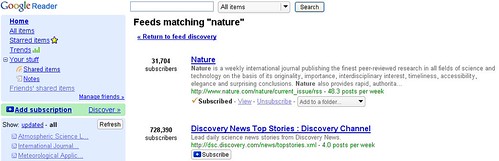
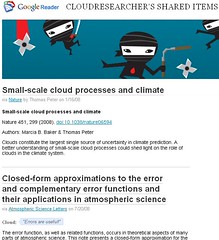
Google Reader makes it easy to share items by allowing instant publishing to a clippings blog. (This feature will prove important later on)
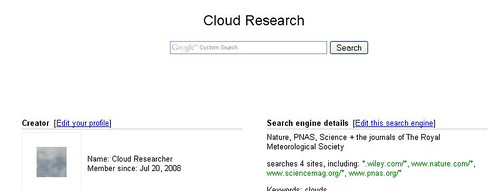
I then created a customized Google search engine so whenever my researcher needs to refer or research, she can just search this index of just the journals and websites that she trusts. If she wants to cast a wider net, she can always opt to search with Google Scholar or even plain old vanilla Google.
If her affiliated academic library provides authentication by IP address, then our researcher can keep up with her journal reading on campus without ever visiting the library's website even once - even if she's off-campus by using Windows XP Remote Desktop option to access her work computer. And if she has a loving, caring library, she can authenticate and access research using LibX, which also comes in handy when she uses Google Books.
I'm glad I actually went through the exercise of actualizing this example because in doing so, I had a small epiphany which was this: the future of learning online space is going to be an aggregation of online services. I realized this when I started playing with FriendFeed.
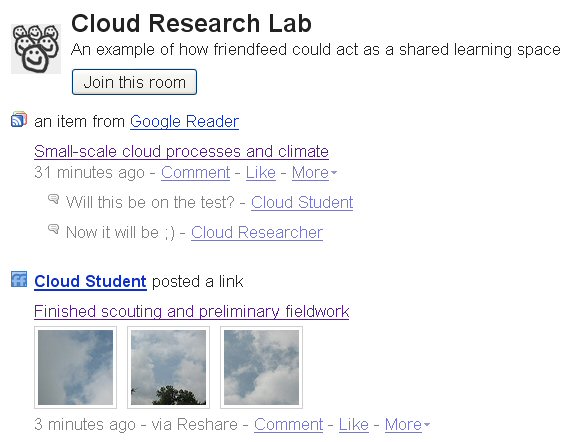
I've been using FriendFeed for about a week now and I still find it a strange beast. The way I would describe it is FriendFeed = Twitter + RSS reader. I think FF is an improvement on Twitter because it allows others to comment directly to a post. But FF is not a conventional RSS reader like Bloglines or Google Reader as the emphasis is on following friends - not publications. But what you can do with FriendFeed is create different 'rooms' for your different circle of friends. I created a room called The Cloud Research Lab Room.
What would happen if FriendFeed could share structured bibliographic citations from Zotero?
I think it could be something wonderful.
After creating a Gmail account for "Cloud Researcher" I started a Google Reader account for her. It was shockingly easy to add an RSS feed of the most recent issues to the more well known journals such as Nature and Science. Now my researcher can stay up to date in her field.
Google Reader makes it easy to share items by allowing instant publishing to a clippings blog. (This feature will prove important later on)
I then created a customized Google search engine so whenever my researcher needs to refer or research, she can just search this index of just the journals and websites that she trusts. If she wants to cast a wider net, she can always opt to search with Google Scholar or even plain old vanilla Google.
If her affiliated academic library provides authentication by IP address, then our researcher can keep up with her journal reading on campus without ever visiting the library's website even once - even if she's off-campus by using Windows XP Remote Desktop option to access her work computer. And if she has a loving, caring library, she can authenticate and access research using LibX, which also comes in handy when she uses Google Books.
I'm glad I actually went through the exercise of actualizing this example because in doing so, I had a small epiphany which was this: the future of learning online space is going to be an aggregation of online services. I realized this when I started playing with FriendFeed.
I've been using FriendFeed for about a week now and I still find it a strange beast. The way I would describe it is FriendFeed = Twitter + RSS reader. I think FF is an improvement on Twitter because it allows others to comment directly to a post. But FF is not a conventional RSS reader like Bloglines or Google Reader as the emphasis is on following friends - not publications. But what you can do with FriendFeed is create different 'rooms' for your different circle of friends. I created a room called The Cloud Research Lab Room.
What would happen if FriendFeed could share structured bibliographic citations from Zotero?
I think it could be something wonderful.
Friday, June 20, 2008
reddit.com: Who else is sick of sites hosting research papers that show all their content to Google so it gets indexed, but when people visit, they want you to pay exorbitant fees?
reddit.com: Who else is sick of sites hosting research papers that show all their content to Google so it gets indexed, but when people visit, they want you to pay exorbitant fees?
Some of the comments are quite entertaining:
Also interesting is that the discussion immediately proceeds into the realm of IP spoofing and cloaking. Check your library for holdings? Nah - pretend to be Googlebot to get a free pass!
Wednesday, May 23, 2007
Is Google Dead Without Metasearch?
When Roy Tennant spoke to the 2005 SMUG Annual Meeting, the title of his presentation was Google Scholar: Is Metasearch Dead? And I remember that during his talk, Roy searched for the word hamlet in Google Scholar and the first hit returned was Hamlet and the Holodeck.
Now if you search Google Scholar for hamlet, you get this article: Partition testing does not inspire confidence [program testing]. Why? Its by D. Hamlet.
Search plain-vanilla Google for hamlet and the first entry is not surprisingly, from Wikipedia. What's amusing, although not together unsurprising, is the the Spark Notes for Hamlet outranks the actual play. What was surprising to me is that if you search for Hamlet in Google Book Search, you get only 6 hits returned. The University of Windsor has 95 titles that begin with that word. Search WorldCat for Hamlet and you are offered over 13,000 items.
Far from being dead, it looks like Google needs Metasearch.
Now if you search Google Scholar for hamlet, you get this article: Partition testing does not inspire confidence [program testing]. Why? Its by D. Hamlet.
Search plain-vanilla Google for hamlet and the first entry is not surprisingly, from Wikipedia. What's amusing, although not together unsurprising, is the the Spark Notes for Hamlet outranks the actual play. What was surprising to me is that if you search for Hamlet in Google Book Search, you get only 6 hits returned. The University of Windsor has 95 titles that begin with that word. Search WorldCat for Hamlet and you are offered over 13,000 items.
Far from being dead, it looks like Google needs Metasearch.
Subscribe to:
Posts (Atom)